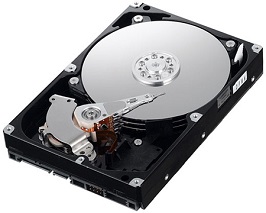
What is smartd and how to use it
smartd คือ โปรแกรมที่ทำหน้าที่คอย monitor hard disk โดยใช้เทคโนโลยี SMART หรือ Self-Monitoring, Analysis, and Reporting Technology เพื่อทำการ วิเคราะห์, ตรวจสอบ, รายงานสถานะการทำงานของ และทำนายว่า Hard disk ของเรามีโอกาสที่จะเสียหรือไม่
สำหรับ Linux รุ่นเก่า smartd นี้จะมาพร้อมกับ kernel-utils แต่สำหรับ linux version ใหม่ๆ จะอยู่ใน smartmontools package
โดยทั่วไปแล้ว smartd นี้จะถูก start หรือเริ่มต้นการทำงานตั้งแต่มีการ boot เครื่อง และสำหรับไฟล์ configure จะถูกที่ /etc/smartd.conf
คำสั่งสำหรับการตรวจสอบว่า hard disk ที่ใช้อยู่รองรับ SMART หรือไม่โดย ใช้คำสั่ง
# smartctl -i /dev/harddisk_device
ตัวอย่าง hard disk ที่มี SMART
# smartctl -i /dev/hda
smartctl version 5.1-11 Copyright (C) 2002-3 Bruce Allen
Home page is http://smartmontools.sourceforge.net/
=== START OF INFORMATION SECTION ===
Device Model: ST380011A
Serial Number: 3JVB672N
Firmware Version: 8.01
Device is: Not in smartctl database [for details use: -P showall]
ATA Version is: 6
ATA Standard is: ATA/ATAPI-6 T13 1410D revision 2
Local Time is: Fri Aug 20 14:09:16 2004 EST
SMART support is: Available – device has SMART capability.
SMART support is: Enabled
ตัวอย่าง hard disk ที่ไม่รองรับ SMART สาเหตุเนื่องจากว่าไม่ support hardware RAID บางรุ่น
# smartctl -i /dev/sda
smartctl version 5.36 [x86_64-redhat-linux-gnu] Copyright (C) 2002-6 Bruce Allen
Home page is http://smartmontools.sourceforge.net/
Device: DELL PERC 6/i Version: 1.21
DELL PERC controllers are not supported.
สำหรับการ configure ให้ smartd ทำการ monitor เฉพาะ device ที่เราต้องการ สามารถทำได้โดย แก้ไขไฟล์ /etc/smartctl.conf และจากนั้นก็ให้ระบุ hard disk ที่ต้องการให้ Monitor และใส่ email เพื่อถ้าเกิดเหตุการณ์สำคัญ (warning) ให้ส่ง e-mail เพื่อแจ้งให้ผู้ดูแลระบบทราบ
ตัวอย่างการ configure เพื่อ monitor device /dev/hda และถ้าเกิดเหตุการณ์สำคัญ (warning) ให้แจ้งเตือนผ่าน e-mail ไปยัง [email protected]
# /etc/smartd.conf
# Sample configuration file for smartd. See man 5 smartd.conf.
# Home page is: http://smartmontools.sourceforge.net
…
# A very silent check. Only report SMART health status if it fails
# But send an email in this case
/dev/hda -a -m [email protected] …
เมื่อแก้ไขไฟล์เสร็จเรียบร้อยแล้วให้ทำการ restart service smartd ด้วยคำสั่ง
# service smartd restart
Shutting down smartd: [FAILED]
Starting smartd: [ OK ]