How to fixes ZImbra Desktop can not start after windows updates
 ผู้ใช้งาน Zimbra Desktop บางท่านอาจจะประสบปัญหาไม่สามารถเปิด Zimbra Desktop ได้หลังจากทำการ update windows และปัญหานี้ไม่สามารถแก้ไขด้วยการ reinstall Zimbra Desktop ได้
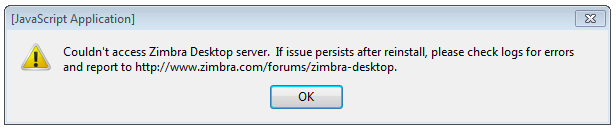
 วิธีแก้ไขปัญหา Zimbra Desktop เปิดใช้งานไม่ได้หลังจากทำการ update windows
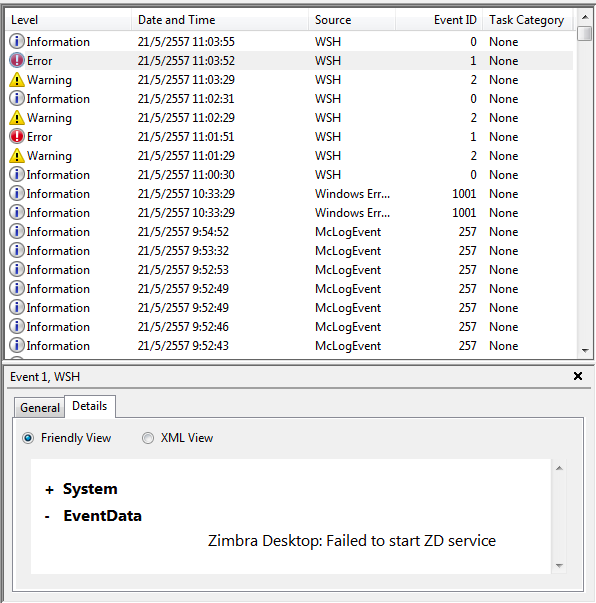
ตรวจสอบดู event log ของ windows (Viewer -> system) ถ้าหากพบข้อความด้านล่าง แสดงว่าเครื่องไม่ได้ติดตั้ง Visual C++ 2005 Redistributable ไว้
วิธีแก้ไขปัญหา Zimbra Desktop เปิดใช้งานไม่ได้หลังจากทำการ update windows
ตรวจสอบดู event log ของ windows (Viewer -> system) ถ้าหากพบข้อความด้านล่าง แสดงว่าเครื่องไม่ได้ติดตั้ง Visual C++ 2005 Redistributable ไว้
SideBySide Error None 32 N/A Dependent Assembly Microsoft.VC80.CRT could not be found and Last Error was The referenced assembly is not installed on your system.
ดังนั้นให้ทำการ Install Visual C++ 2005 Redistributable และ uninstall Visual C++ 2008 (ถ้าหากมี) และลองทดสอบการใช้งานใหม่อีกรอบ
