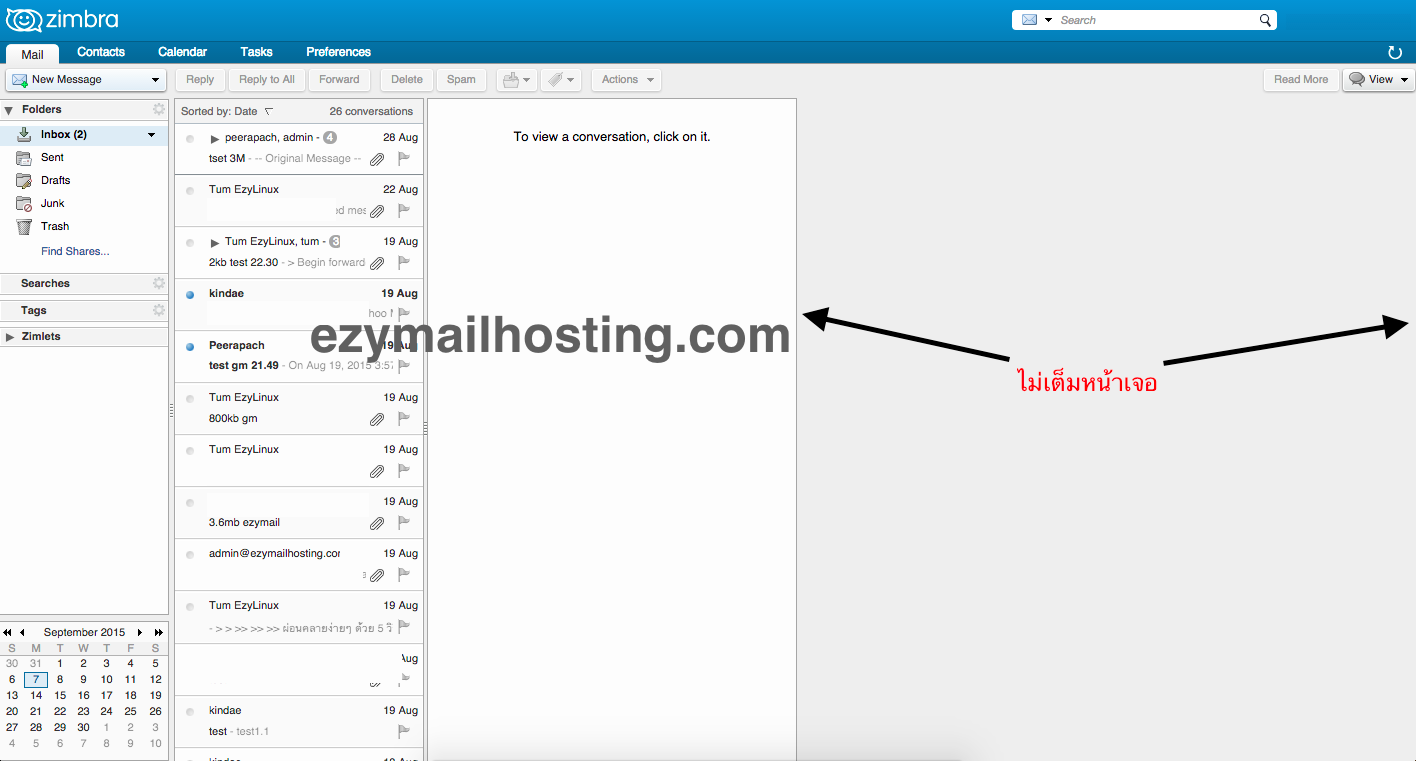
Mail preview does not fill the screen in Zimbra Web Client 8.x and Google Chrome
When Google Chrome released a new version on 2 September 2015, Zimbra Web Client versions 8.6, 8.5, and 8.0 began displaying the mail preview incorrectly: it did not fill the screen. This problem occurred on every OS, including Mac, Linux, and Windows, as shown below.
Manual workaround
-
Edit the file:
/opt/zimbra/jetty-distribution-7.6.12.v20130726/webapps/zimbra/skins/_base/base2/skin.css
/opt/zimbra/jetty-distribution-7.6.12.v20130726/webapps/zimbra/skins/_base/base3/skin.css
Search for the classes below and check whether they match. If they do, skip to the next step. Otherwise, change them to match first.
#skin_td_sidebar_ad { width:@SidebarAdWidth@; } #skin_container_sidebar_ad { @AdStyle@ width:@SidebarAdWidth@; } -
Find the class named skin_td_main, as in this example:
#skin_td_main { width:auto; height:100%; }Change it to match the following:#skin_td_main > TABLE { table-layout: fixed; } -
After making the change, restart the mailbox service with:
zmmailboxdctl restart
Automatic script workaround
- Download the script with:
wget https://raw.githubusercontent.com/jorgedlcruz/Zimbra/master/Zimbra%20Google%20Chrome%2045%20Fix/zimbra-chrome45-fix.sh - Set its permissions to allow execution:
chmod +x zimbra-chrome45-fix.sh - Run the script:
sh zimbra-chrome45-fix.sh - Restart the mailbox service:
zmmailboxdctl restart
Ref: Zimbra Wiki
