How to change the theme of all Zimbra clients
For Zimbra web client or Zimbra Desktop, an administrator can change the web interface theme so that all users must use only the theme specified by the administrator. To change the web interface theme, follow these steps:
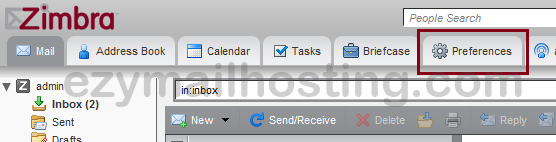
- Click Preferences.
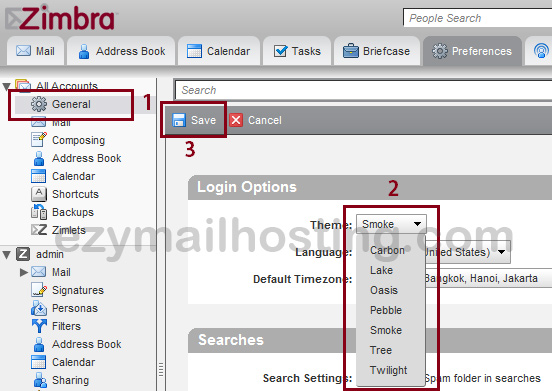
- On the Preferences page, select General (normally the default page).
- Click Theme to select a theme.
- Click Save.