How to expand membership of "Distribution List" in Zimbra
Zimbra provides distribution lists, or group email, for sending mail to groups. This makes it convenient for users to send to all or some recipients through a single email address. However, Zimbra distribution lists have a limit: a distribution list must contain no more than 1,000 email addresses to deliver to everyone. More than 1,000 email addresses causes an “Alias expansion error”, as shown.
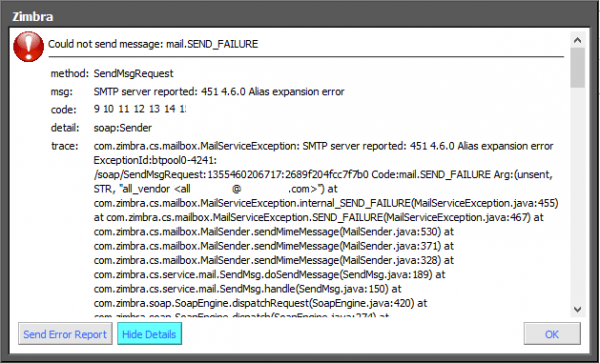 How to resolve the group email sending limit (distribution list or group email) in Zimbra Mail Server
-
Check the number of email addresses supported by a distribution list with this command:
[root@ZimbraM1 ~]# su - zimbra -c "postconf virtual_alias_expansion_limit"
virtual_alias_expansion_limit = 1000
In this example, the distribution list supports 1,000 email addresses.
-
To increase the number of email addresses supported by a distribution list, use this command:
[root@ZimbraM1 ~]# su - zimbra -c "postconf -e virtual_alias_expansion_limit=XXXX"XXXX is the number of email addresses the distribution list can support.
-
After making the change, reload the config with this command:
[root@ZimbraM1 ~]# su - zimbra -c "zmmtactl reload"
