How to unlock Zimbra Accounts
Zimbra immediately locks an account after a configured number of failed login attempts to stop hackers repeatedly guessing passwords until they find the right one. If incorrect passwords reach that limit and the account is locked, an administrator must unlock it. There are two ways to do this: 1. Unlock the account in the Zimbra GUI
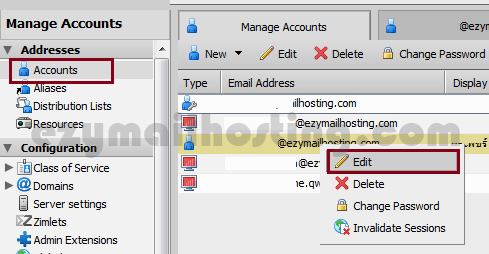
- Select account.
- Right-click the user you want to unlock and select edit.
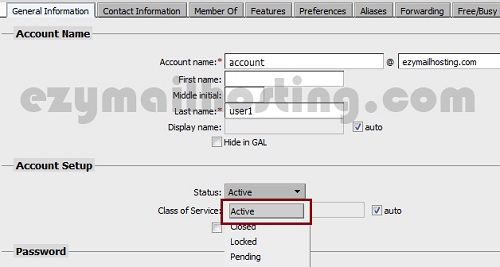
- Under Account Setup, set status to Active.
2. Unlock the account with a command
# su - zimbra
# zmprov ma [email protected] zimbraAccountStatus active