Monitor multiple logs in a single shell with MultiTail
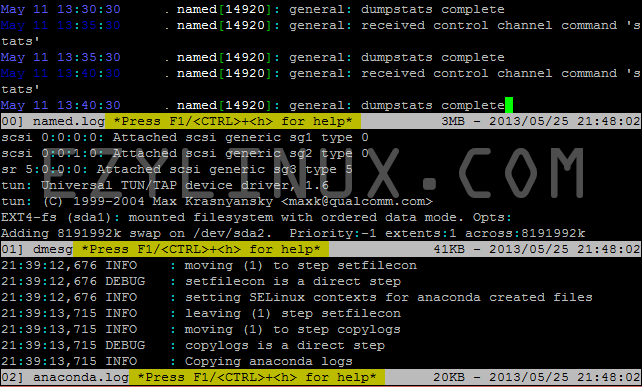
tail is widely used and makes it easy to view logs in real time (tail -f /var/log/logfile). This article introduces another program that works like tail but creates multiple windows within one console. It is useful when you want to follow several log files at once without opening multiple console windows, as shown below.
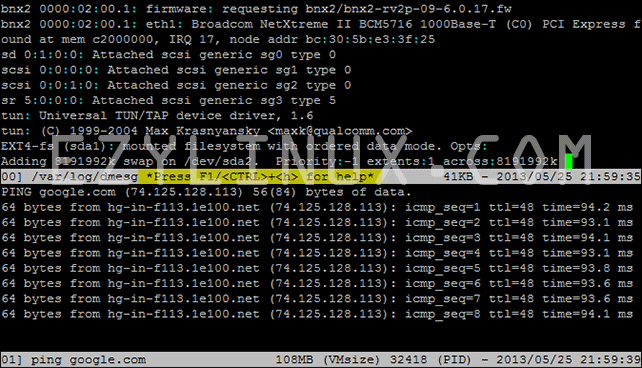
 It can also run commands while displaying logs, as shown below.
 Installing MultiTail on CentOS
Run the following command to install multitail.
Installing MultiTail on CentOS
Run the following command to install multitail.
[root@Ezylinux root]# yum install multitailUsing multitail
- View multiple log files in one column.
For example, to view /var/log/named.log, /var/log/dmesg, and /var/log/anaconda.log, run:
[root@Ezylinux root]# multitail /var/log/named.log /var/log/dmesg /var/log/anaconda.logExample output - View multiple log files in two columns (or more).
For example, to view /var/log/named.log, /var/log/dmesg, /var/log/anaconda.log, and /var/log/zarafa/server.log in two columns, run:
[root@Ezylinux root]# multitail -s 2 /var/log/named.log /var/log/dmesg /var/log/anaconda.log /var/log/zarafa/server.log*For more than two columns, adjust the -s option. Example output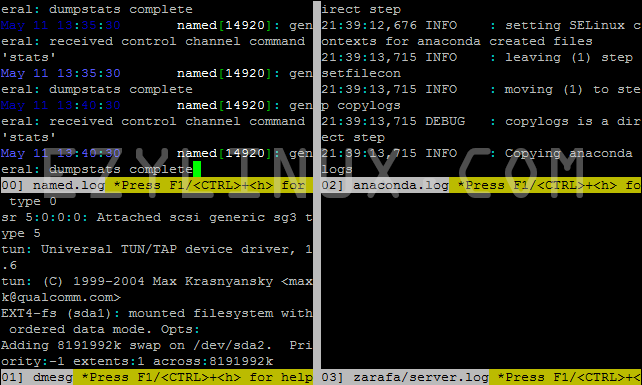
- View a log file and run a command at the same time.
For example, to view /var/log/dmesg while running ping:
[root@Ezylinux root]# multitail /var/log/dmesg -l "ping google.com"* Use -l to have multitail run the required command. Example output
For more features, read the multitail manual. :)

