How to change boot into text console or GUI in Raspberry Pi
There are two ways to choose whether Raspberry Pi OS boots into console mode or GUI mode:
- Configure it through raspi-config by running:
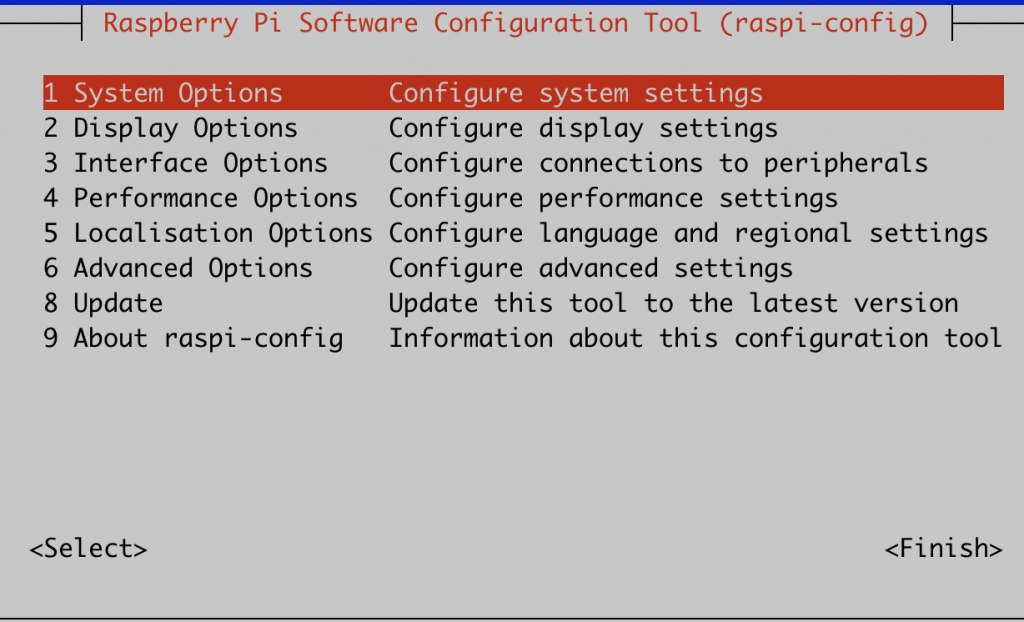
# raspi-configSelect “System Options”.
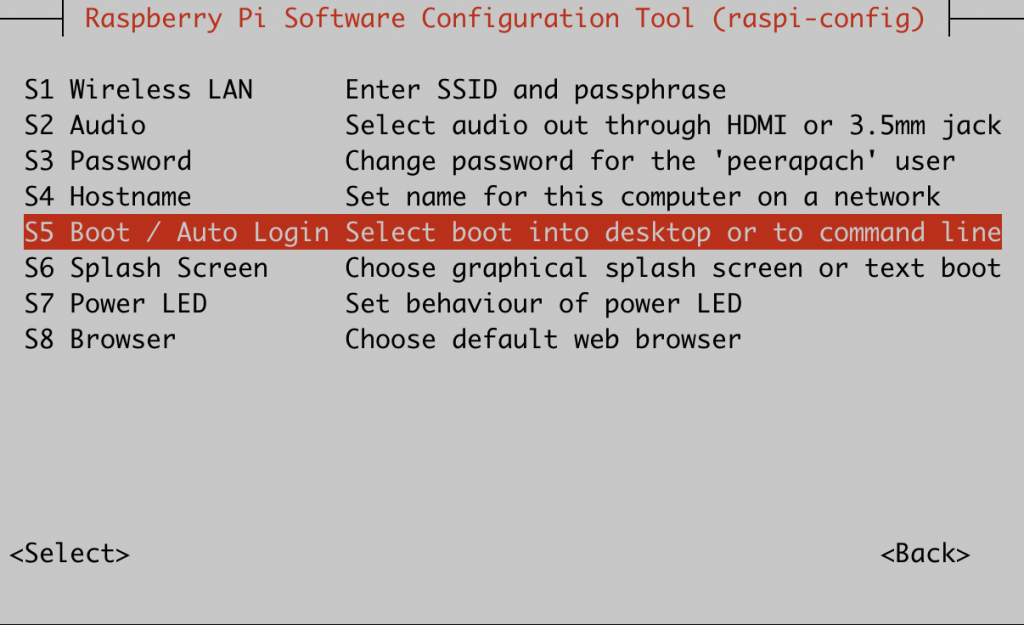
Select “Boot / Auto Login”.
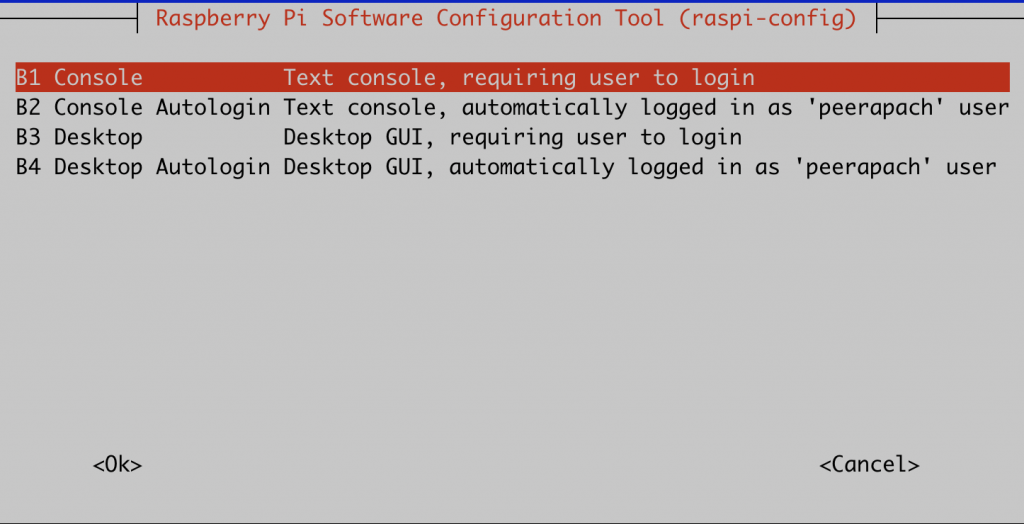
Choose Console / GUI boot mode.
Select Finish and reboot.
- Configure it through systemd.
Run this command to boot into console mode.
# systemctl set-default multi-user.targetOutput
Removed “/etc/systemd/system/default.target”.
Created symlink /etc/systemd/system/default.target → /lib/systemd/system/multi-user.target.
Run this command to boot into GUI mode.
# systemctl set-default graphical.targetOutput
Removed “/etc/systemd/system/default.target”.
Created symlink /etc/systemd/system/default.target → /lib/systemd/system/graphical.target.
After running the command, reboot the machine with:
# reboot
