Setting Out Of Office on Samsung Galaxy
 Out Of Office is a service that lets contacts know you cannot reply to email while on vacation, traveling abroad, or away on other business. It replies to the sender with a predefined message. Out Of Office can be configured through some smartphones, such as Samsung Galaxy.
This article explains how to configure Out Of Office on Samsung Galaxy. If you use a Samsung Galaxy and want to configure Out Of Office, follow these steps:
Out Of Office is a service that lets contacts know you cannot reply to email while on vacation, traveling abroad, or away on other business. It replies to the sender with a predefined message. Out Of Office can be configured through some smartphones, such as Samsung Galaxy.
This article explains how to configure Out Of Office on Samsung Galaxy. If you use a Samsung Galaxy and want to configure Out Of Office, follow these steps:
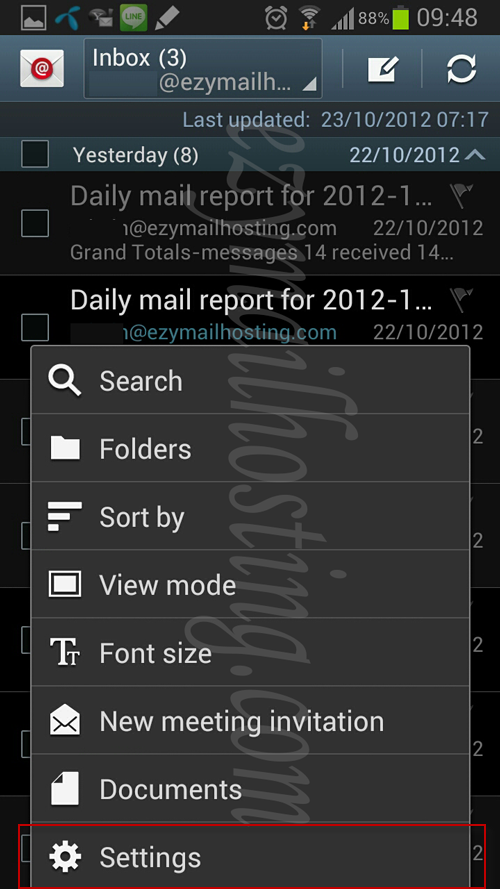
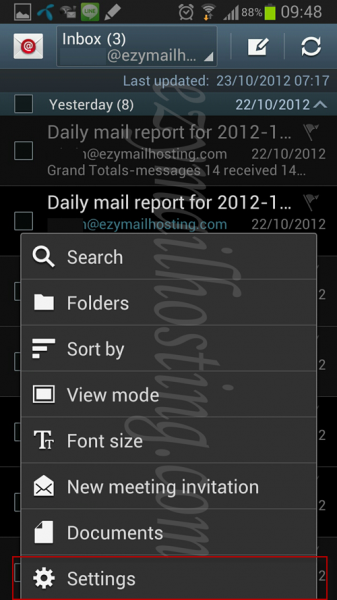
- Press the menu and select Setting.
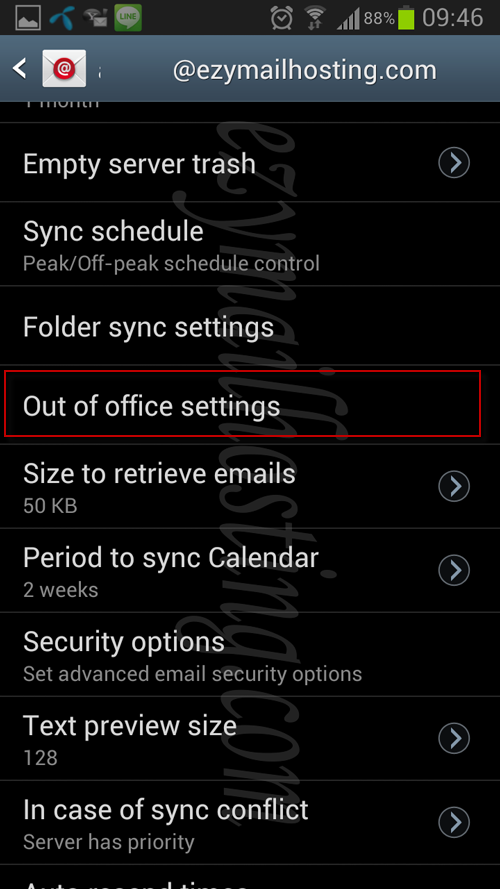
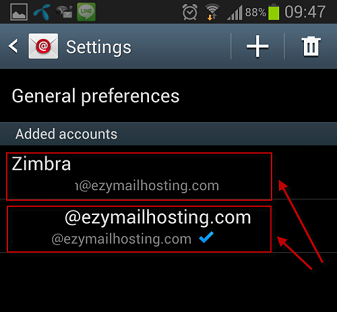
- Select the Account for which you want to configure replies to email senders.
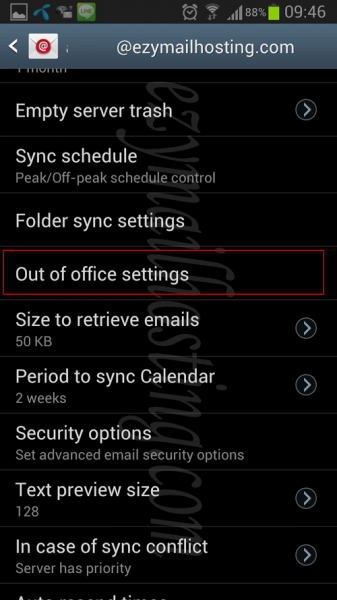
- Select Out of office setting.
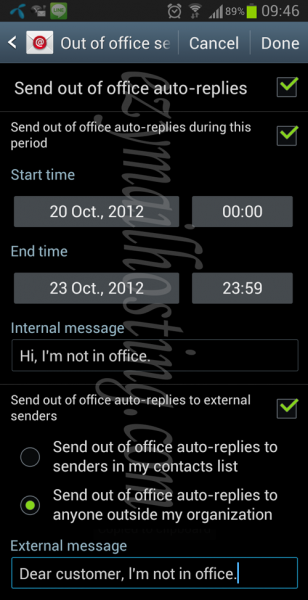
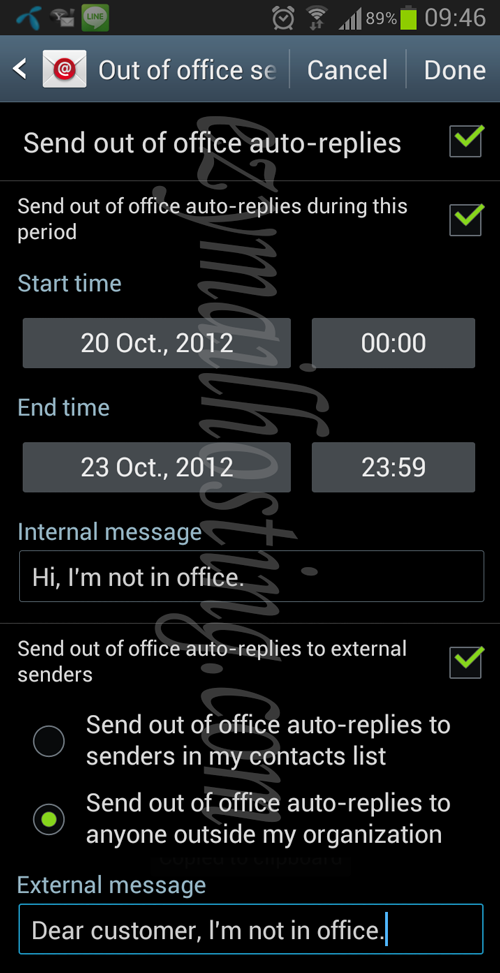
- On the Out of office setting screen, select “Send out of office auto-replies” and select Send out of office auto-replies during this period to set the period during which Out of office operates. Once you have set the period, enter the reply text in Internal message.
To configure replies for people outside your contact list or organization, select “Send out of office auto-replies to external senders”, then specify the group to receive replies and the message (External message).