How to get new email notifications for Zimbra mail system
 Zimbra webmail รองรับ new email notification ที่ทำงานร่วมกับ Yahoo! Browser Plus ที่ทำงานได้เป็นอย่างดี (จากบทความ How to setting pop-up email notification in Zimbra) แต่เนื่องจาก Yahoo! ตัดสินใจปิดโปรเจค Yahoo! Browser Plus จึงทำให้ผู้ที่ต้องการใช้งาน new email notification ไม่สามารถหา download ได้ หรือไม่รองรับการทำงานร่วมกับ browser version ใหม่ๆ
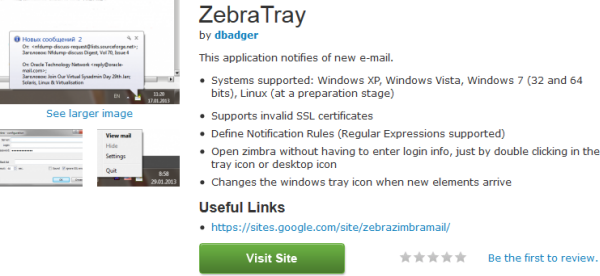
Zebra Tray เป็นโปรแกรมที่ถูกสร้างขึ้นมาเพื่อเป็นทางเลือกให้กับผู้ที่ต้องการใช้งานระบบแจ้งเตือน email ใหม่ (New email notification) และมี features ที่น่าสนใจดังนี้
Zimbra webmail รองรับ new email notification ที่ทำงานร่วมกับ Yahoo! Browser Plus ที่ทำงานได้เป็นอย่างดี (จากบทความ How to setting pop-up email notification in Zimbra) แต่เนื่องจาก Yahoo! ตัดสินใจปิดโปรเจค Yahoo! Browser Plus จึงทำให้ผู้ที่ต้องการใช้งาน new email notification ไม่สามารถหา download ได้ หรือไม่รองรับการทำงานร่วมกับ browser version ใหม่ๆ
Zebra Tray เป็นโปรแกรมที่ถูกสร้างขึ้นมาเพื่อเป็นทางเลือกให้กับผู้ที่ต้องการใช้งานระบบแจ้งเตือน email ใหม่ (New email notification) และมี features ที่น่าสนใจดังนี้
- Systems supported: Windows XP, Windows Vista, Windows 7 (32 and 64 bits), Linux (at a preparation stage)
- Supports invalid SSL certificates
- Define Notification Rules (Regular Expressions supported)
- Open zimbra without having to enter login info, just by double clicking in the tray icon or desktop icon
- Changes the windows tray icon when new elements arrive
การติดตั้ง Zebra Tray
- Download Zebra Tray จาก Zimbra.com
- ติดตั้งโปรแกรม
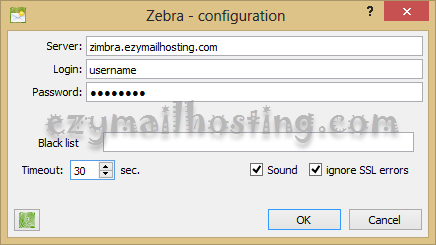
- เมื่อเปิดโปรแกรมขึ้นมาให้ใส่ข้อมูลดังนี้ (ตามภาพด้านล่าง)
- Server: email server or IP
- Login: username ที่ใช้ login
- Password: password ที่ใช้ login
- Black list: ไม่ต้องใส่
- เลือก sound
- เลือก ignore SSL errors
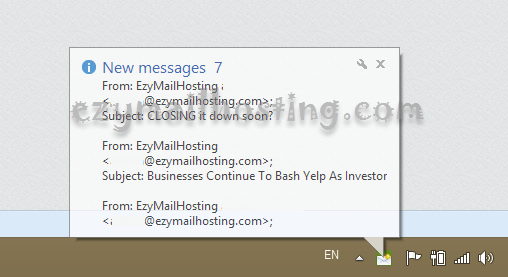
 ตัวอย่างการแจ้งตื่นเมื่อ email เข้ามายัง mailbox เรา