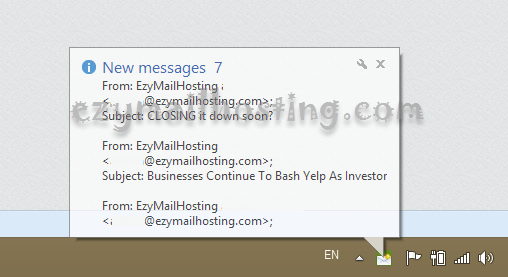
How to get new email notifications for Zimbra mail system
 Zimbra webmail supports new email notifications through Yahoo! Browser Plus, which worked well (as described in How to setting pop-up email notification in Zimbra). However, Yahoo! decided to close the Yahoo! Browser Plus project, so people wanting new email notifications can no longer find a download, or it does not support newer browser versions.
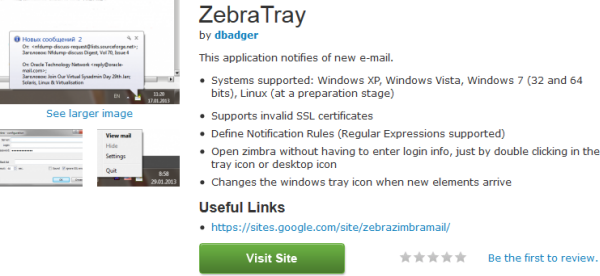
Zebra Tray was created as an alternative for people who want new email notifications. It has the following interesting features:
Zimbra webmail supports new email notifications through Yahoo! Browser Plus, which worked well (as described in How to setting pop-up email notification in Zimbra). However, Yahoo! decided to close the Yahoo! Browser Plus project, so people wanting new email notifications can no longer find a download, or it does not support newer browser versions.
Zebra Tray was created as an alternative for people who want new email notifications. It has the following interesting features:
- Systems supported: Windows XP, Windows Vista, Windows 7 (32 and 64 bits), Linux (at a preparation stage)
- Supports invalid SSL certificates
- Define Notification Rules (Regular Expressions supported)
- Open zimbra without having to enter login info, just by double clicking in the tray icon or desktop icon
- Changes the windows tray icon when new elements arrive
Installing Zebra Tray
- Download Zebra Tray from Zimbra.com.
- Install the program.
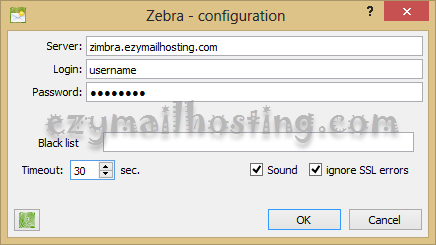
- Open the program and enter these details (as shown below):
- Server: email server or IP
- Login: the username used to log in
- Password: the password used to log in
- Black list: leave blank.
- Select sound.
- Select ignore SSL errors.
 Example notification when email arrives in our mailbox: