Howto setting alway Reply/Forward in the original message format
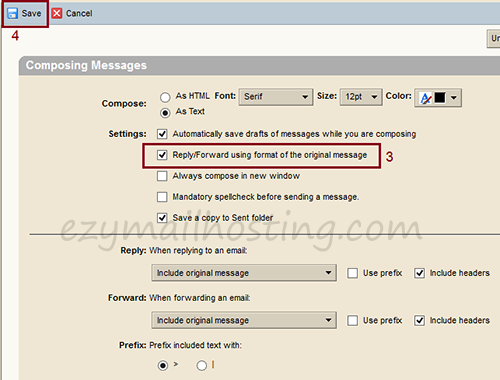
ผู้ใช้งาน Zimbra webmail สามารถเลือก format ของจดหมายในการตอบจดหมายกลับหรือส่งต่อได้ โดยจะให้ตอบกลับตามค่าเริ่มต้น (default) หรือตาม format ของจดหมายที่ส่งมา การตั้งค่าตอบจดหมายกลับหรือส่งต่อตาม format ของจดหมายที่ส่งมาสามารถทำได้ดังนี้
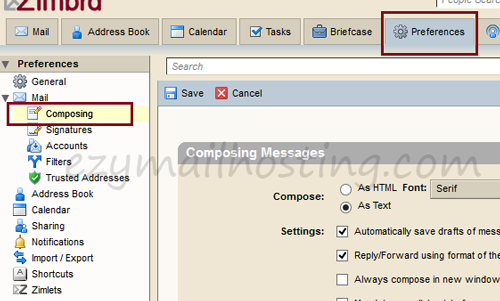
- เลือก Preferences -> Mail -> Composing
- จากนั้นเลือก “Reply/Forward using format of the original message” สำหรับการส่งต่อหรือตอบกลับด้วย format ตามต้นฉบับ