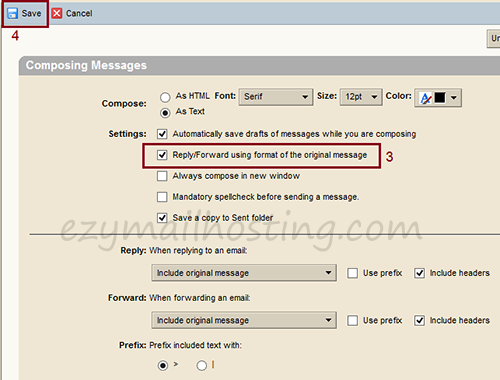
Howto setting alway Reply/Forward in the original message format
Zimbra webmail users can choose the message format for replies and forwarded messages, using either the default format or the format of the original message. To configure replies and forwards to use the original message’s format:
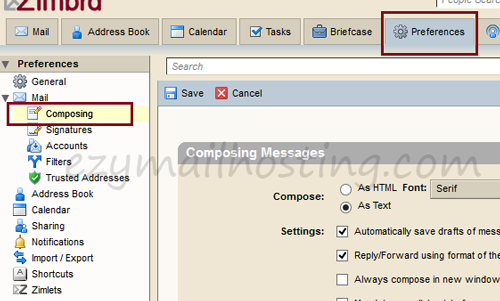
- Select Preferences -> Mail -> Composing.
- Select “Reply/Forward using format of the original message” to forward or reply in the original format.