Forward incoming email to another email on Zimbra mail server
Zimbra’s incoming email forwarding allows users to set up email forwarding themselves without an administrator managing it. Users can freely choose to forward email to other accounts. They can also have the system retain a copy in their current account as another form of backup. How to set up incoming email forwarding to another email address
- Log in to the system.
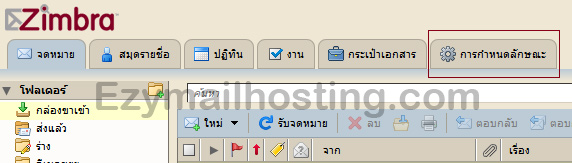
- Click “Preferences”.
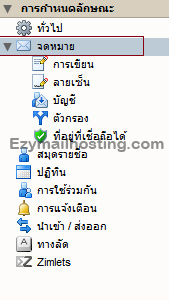
- In the left pane, select “Mail”.
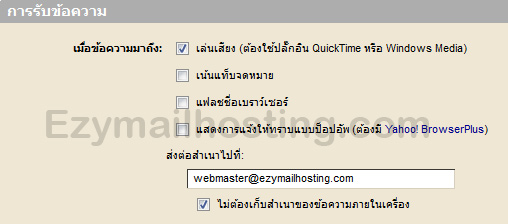
- Under “Receiving Messages”, enter the email address in “Forward a copy to:”.
- If you do not want to retain a copy in the system (forward only), select “Don’t keep a local copy of messages”.