How to get UUID of the hard disk in Linux syetem
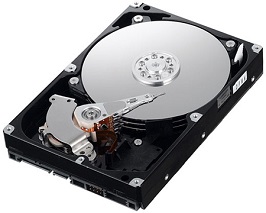 Newer Linux versions use UUIDs to identify hard disks instead of device names. This prevents the system from using the wrong disk when there is more than one and a disk fails or is removed. It also avoids problems when device names change after a reboot.
UUID, or Universally Unique Identifier, is a way to refer to a device instead of using its name directly. Newer Linux versions identify hard disks by UUID to reduce problems caused by device names changing after a reboot and to support hot-plug or external hard disks, whose names can change whenever they are unplugged and reconnected.
Another way to prevent the system from using the wrong disk is to use LABEL instead of a device name.
There are several ways to find a UUID. This article introduces two simple methods.
Method 1: Use ls -s to inspect /dev/disk/by-uuid.
For example:
Newer Linux versions use UUIDs to identify hard disks instead of device names. This prevents the system from using the wrong disk when there is more than one and a disk fails or is removed. It also avoids problems when device names change after a reboot.
UUID, or Universally Unique Identifier, is a way to refer to a device instead of using its name directly. Newer Linux versions identify hard disks by UUID to reduce problems caused by device names changing after a reboot and to support hot-plug or external hard disks, whose names can change whenever they are unplugged and reconnected.
Another way to prevent the system from using the wrong disk is to use LABEL instead of a device name.
There are several ways to find a UUID. This article introduces two simple methods.
Method 1: Use ls -s to inspect /dev/disk/by-uuid.
For example:
[[email protected] ~]$ ls -l /dev/disk/by-uuid/
total 0
lrwxrwxrwx 1 root root 10 Nov 23 10:41 3fc134de-dfb2-4533-9eec-2cef3537f075 -> ../../sda2
lrwxrwxrwx 1 root root 10 Nov 23 10:41 9f1e33bb-1c83-4e9a-82e7-d7e211a529f8 -> ../../sda3
lrwxrwxrwx 1 root root 10 Nov 23 10:41 c7a58f0a-282e-494f-bc6a-0cd22258e920 -> ../../sda1
Method 2: Use blkid to check UUIDs. For example:
[[email protected] ~]$ blkid /dev/sda1
/dev/sda1: UUID="c7a58f0a-282e-494f-bc6a-0cd22258e920" TYPE="ext4"