Introducing Putty Manager
For PuTTY fans, I have a new tool to introduce. It is useful when you need several remote sessions and must run commands on multiple machines at once. The tool is Putty Manager.
You need PuTTY installed first, because Putty Manager is a wrapper around it. On first use, configure the path to the PuTTY executable. After configuration, the program also loads your PuTTY sessions. You can add more server entries by creating a new database and adding the servers with their login names and passwords.
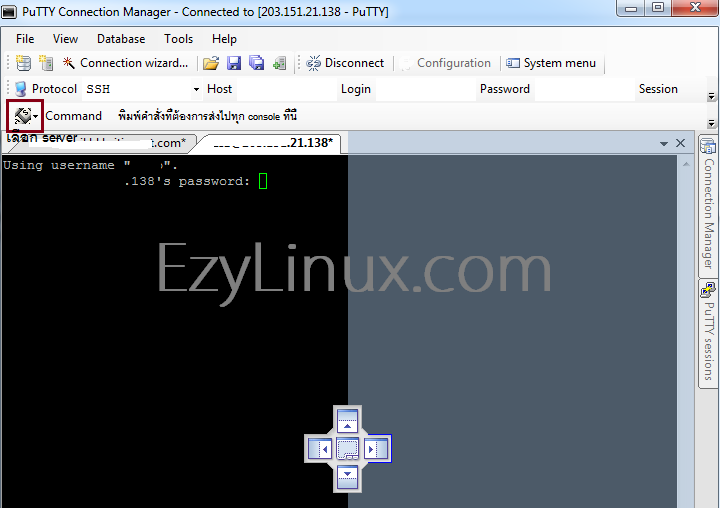
To run commands simultaneously with Putty Manager, first open and log in to all the remote servers you want to use. Drag any server’s tab toward the center and choose which side to place it on; the selected side is highlighted, as shown below. Then select the servers to receive simultaneous commands using the keyboard icon to the left of command. Once selected, enter a command in the command field to send it to every selected server.
 Source: ezyhosts.net