ตารางเปรียบเทียบการใช้งาน SysVinit กับ Systemd
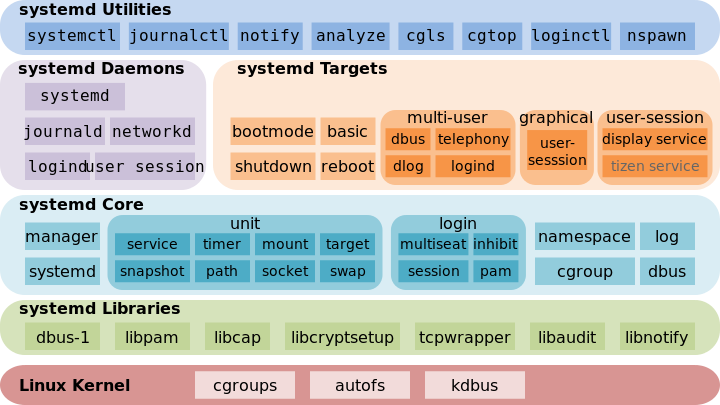
หลังจากที่ RHEL ได้ออก version 7 มาทำให้ผู้ใช้งานต่างต้องปรับตัวกับการเปลี่ยนระบบ service manager กันใหม่ จากระบบก่อนๆ ที่ใช้ SysVinit มาเป็น Systemd ซึ่งมีข้อดีมากกว่าการใช้ SysVinit หลายข้อ เช่นการทำงานแบบ parallel การทำ handling mount point หรือ support cgroups เป็นต้น
จากการที่คำสั่งการทำงานได้มีการเปลี่ยนเแปลงเกือยทั้งหมด ดังนั้นผมจึงนำตารางเปรียบเทียบคำสั่งระหว่าง SysVinit กับ Systemd เพื่อให้ผู้ที่ใช้งานสามารถนำไปเปรียบเทียบกับคำสั่งที่เคยใช้งานอยู่ก่อนหน้านี้
*** ชื่อ service ที่ยกตัวอย่างในตารางนี้ชื่อ abc ครับ
Service Command
| Sysvinit Command | Systemd Command | |
|---|---|---|
| Start service (ไม่ได้เกี่ยวกับการตั้ง start ตอน boot ใหม่) | service abc start | systemctl start abc |
| Stop service (ไม่ได้เกี่ยวกับการตั้ง stop ตอน boot ใหม่) | service abc stop | systemctl stop abc |
| Restart service | service abc restart | systemctl restart abc |
| reload config โดยไม่กระทบต่อการทำงาน (ถ้า support) | service abc reload | systemctl reload abc |
| Restarts service ถ้าหาก service นั้นทำงานอยู่ | service abc condrestart | systemctl condrestart abc |
| ตรวจสอบสถานะการทำงานของ Service | service abc status | systemctl status abc |
| ตรวจสอบ list ของ service ที่มีในระบบ (สามารถสั่ง stop หรือ start ได้) | ls /etc/rc.d/init.d/ | systemctl หรือ systemctl list-unit-files –type=servicels /lib/systemd/system/*.service /etc/systemd/system/*.service |
| กำหนดให้ service on เมื่อระบบได้ boot ขึ้นมาใหม่ | chkconfig abc on | systemctl enable abc |
| กำหนดให้ service off เมื่อระบบได้ boot ขึ้นมาใหม่ | chkconfig abc off | systemctl disable abc |
| ตรวจสอบการตั้งค่า service on หรือ off เมื่อมี boot ระบบขึ้นมาใหม่ใน environment ปัจจุบัน | chkconfig abc | systemctl is-enabled abc |
| แสดงตาราง services ในแต่ละ runlevels ว่าถูกตั้งค่าเป็น on หรือ off | chkconfig –list | systemctl list-unit-files –type=service หรือ ls /etc/systemd/system/*.wants/ |
| แสดง list runlevels ของ service ว่าตั้งค่าเป็น on หรือ off | chkconfig abc –list | ls /etc/systemd/system/*.wants/abc.service |
| เพิ่ม service file เข้าไปใหม่ หรือแก้ไข configuration ต่างๆ | chkconfig abc –add | systemctl daemon-reload |
system log
| Sysvinit | Systemd | |
|---|---|---|
| ตรวจสอบ system log | tail /var/log/messages หรือ tail /var/log/syslog |
journalctl -f |
Runlevels
| Sysvinit | Systemd | |
|---|---|---|
| System halt | 0 | runlevel0.target หรือ poweroff.target |
| Single user mode | 1, s, single | runlevel1.target หรือ rescue.target |
| Multi user | 2 | runlevel2.target หรือ multi-user.target |
| Multi user with Network | 3 | runlevel3.target หรือ multi-user.target |
| Experimental | 4 | runlevel4.target หรือ multi-user.target |
| Multi user with network and graphic | 5 | runlevel5.target หรือ graphic.target |
| Reboot | 6 | runlevel6.target หรือ reboot.target |
| Emergency shell | emergency | emergency.target |
| เปลี่ยน runlevel/target เป็นแบบ multi user | telinit 3 | systemctl isolate multi-user.target หรือ systemctl isolate runlevel3.target |
| ตั้งค่าให้เป็น multi user runlevel/target สำหรับ boot ครั้งต่อไป | sed s/^id:*:initdefault:/id:3:initdefault:/ | ln -sf /lib/systemd/system/multi-user.target /etc/systemd/system/default.target |
| ตรวจสอบ runlevel ปัจจุบัน | runlevel | systemctl get-default |
| เปลี่ยน current runlevel | sed s/^id:*:initdefault:/id:3:initdefault:/ | systemctl set-default multi-user.target |
Machine state
| Sysvinit | Systemd | |
|---|---|---|
| system halt | halt | systemctl halt |
| ปิดเครื่อง (power off) | poweroff | systemctl poweroff |
| Reboot | reboot | systemctl reboot |
| Suspend system | pm-suspend | systemctl suspend |
| Hibernate | pm-hibernate | systemctl hibernate |
Systemd new commands
| Systemd | |
|---|---|
| รัน systemd command จาก remote host | systemctl abc.service start -H user@remotehost |
| Check boot time | systemd-analyze หรือ systemd-analyze time |
| Kill ทุก process ที่มีความสัมพันธืกับ service | systemctl kill abc |
| ตรวจสอบ event log ของวันนี้ | journalctl –since=today |
| จัดการ hostname | hostnamectl |
| จัดการ date/time (รวมถึง timezone) | timedatectl |