Bluetooth Mouse with Linux (Logitech V470)
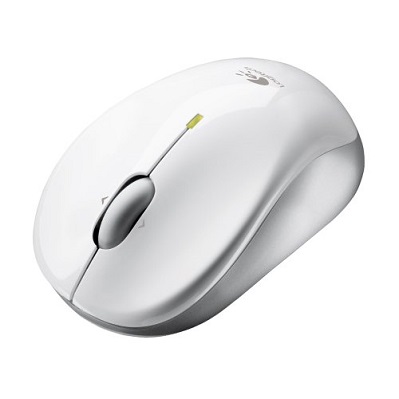 I bought a Logitech v470 Bluetooth wireless mouse. I did not expect any Linux problems because it should be a standard device. In actual use, however, I found an unexpected issue: the scroll wheel did not work. To scroll pages, I had to do it the old-fashioned way, moving the mouse to the scroll bar and clicking up or down -*- (on CentOS 5.2, because there was no driver for this mouse).
Setup is simple: run the following command.
[root@ezylinux ~]# hidd —search
Searching …
Connecting to device 00:07:61:XX:XX:XX
The mouse is then connected and ready to use immediately.
Update
Newer Linux versions do not have the scroll wheel issue.
I bought a Logitech v470 Bluetooth wireless mouse. I did not expect any Linux problems because it should be a standard device. In actual use, however, I found an unexpected issue: the scroll wheel did not work. To scroll pages, I had to do it the old-fashioned way, moving the mouse to the scroll bar and clicking up or down -*- (on CentOS 5.2, because there was no driver for this mouse).
Setup is simple: run the following command.
[root@ezylinux ~]# hidd —search
Searching …
Connecting to device 00:07:61:XX:XX:XX
The mouse is then connected and ready to use immediately.
Update
Newer Linux versions do not have the scroll wheel issue.

Archived comments (2)
Preserved from the original blog for reference.
Replying to lv: Yes, you can; there is no difference. The method above can connect any type of Bluetooth device.
I happen to be interested in this mouse. I have one question: other Bluetooth mice, such as Microsoft's, can be configured with the same command too, right? Thanks in advance.