How to install Google Chrome in Fedora Linux
 Google Chrome is a web browser developed to run on Linux. However, Google provides an installation package for only one distribution: Ubuntu. Users of other Linux distributions therefore need alternative ways to run it.
For Fedora, someone has kindly provided an RPM package that can even be installed through yum—very convenient. Create chromium.repo, or another filename ending in repo, in /etc/yum.repos.d/ with this command.
Google Chrome is a web browser developed to run on Linux. However, Google provides an installation package for only one distribution: Ubuntu. Users of other Linux distributions therefore need alternative ways to run it.
For Fedora, someone has kindly provided an RPM package that can even be installed through yum—very convenient. Create chromium.repo, or another filename ending in repo, in /etc/yum.repos.d/ with this command.
[root@ezylinux ~]# vi /etc/yum.repos.d/chromium.repoAdd the following content.
[chromium]
name=Chromium Test Packages
baseurl=http://spot.fedorapeople.org/chromium/F$releasever/
enabled=1
gpgcheck=0
Once added, use yum install to install the Google Chrome browser. :)
[root@atreides ~]# yum install chromiumNote: supports Fedora 10 through Fedora 12.
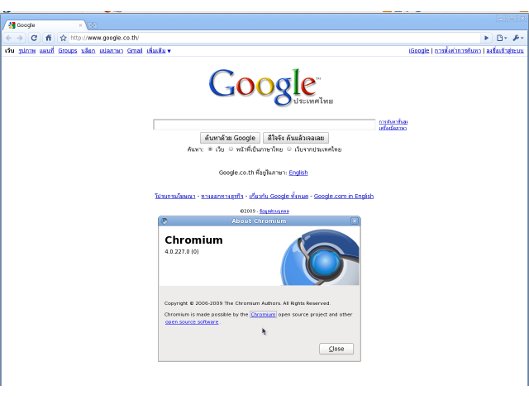
Example of Google Chromium on Fedora 12 Beta