How to Install VLC Media Player for Linux
 VLC Media Player is a good program for watching movies and listening to music. One strength is that it can play incompletely downloaded media files, which ordinary programs cannot. Another advantage is that if a movie is an .iso file (I have not tried other types), you can drag it into the program without spending time mounting the ISO image.
In my experience, files that are about 30% downloaded can already be played in part. A file that is 98% complete can play to the end without stuttering.
To install it on Linux:
For Fedora Linux
VLC Media Player is a good program for watching movies and listening to music. One strength is that it can play incompletely downloaded media files, which ordinary programs cannot. Another advantage is that if a movie is an .iso file (I have not tried other types), you can drag it into the program without spending time mounting the ISO image.
In my experience, files that are about 30% downloaded can already be played in part. A file that is 98% complete can play to the end without stuttering.
To install it on Linux:
For Fedora Linux
[root@ezylinux ~]# su -
[root@ezylinux ~]# rpm -ivh http://download1.rpmfusion.org/free/fedora/rpmfusion-free-release-stable.noarch.rpm
[root@ezylinux ~]# yum install vlc
* Install the RPM Fusion repository first. For Fedora 12 Beta, follow the steps below:
[root@ezylinux rpm-gpg]# cp /etc/pki/rpm-gpg/RPM-GPG-KEY-rpmfusion-free-fedora-12-i386 /etc/pki/rpm-gpg/RPM-GPG-KEY-rpmfusion-free-fedora-11.92-i386If this error occurs:
warning: rpmts_HdrFromFdno: Header V3 RSA/SHA256 signature: NOKEY, key ID 8fcff4da
rpmfusion-free/gpgkey                                                                                              | 3.3 kB     00:00 ...
Public key for lame-libs-3.98.2-3.fc11.i586.rpm is not installed
Run rpm —import as follows:
[root@ezylinux ~]# rpm --import /etc/pki/rpm-gpg/RPM-GPG-KEY-rpmfusion-free-fedora-11-i386For Ubuntu Linux
[tum@ezylinux ~]$ sudo apt-get install vlc* Remember to enable the Universe repository. ;)
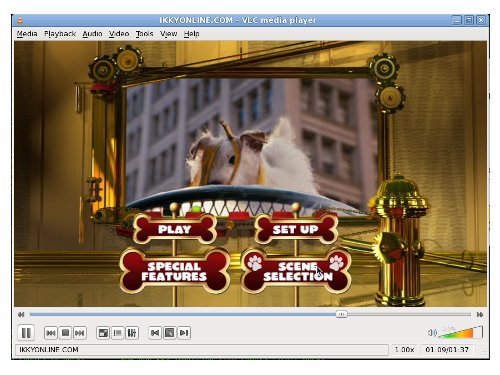
VLC Media Player example