Change name appears in From field on outgoing email of Zimbra webmail
Zimbra webmail lets users change the sender name themselves, without asking an administrator to change it. To change the sender name, follow these steps:
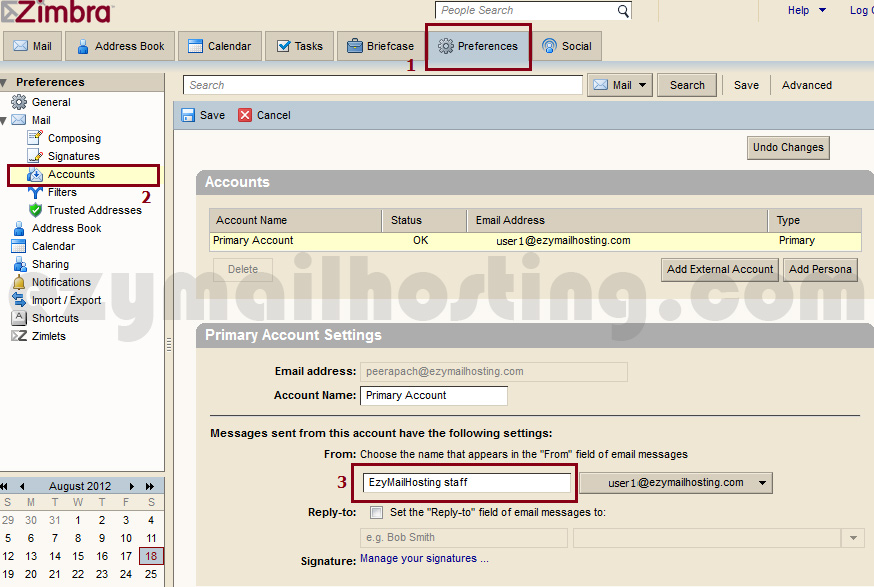
- Click Preferences.
- In the left pane, select Account.
- Under Primary Account Settings, edit the sender name in the white field below “From: Choose the name that appears in the “From” field of email messages”.
- When finished, press Save.
 ** This method of changing the sender name applies only to email sent from zimbra webmail.
