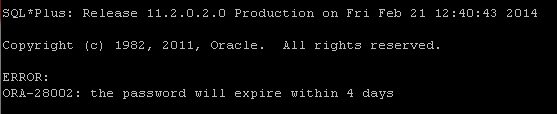
How to turn off Oracle password expiration
 By default, Oracle user passwords have a maximum age of 180 days, after which users must change them. To remove the password expiry, set PASSWORD_LIFE_TIME to unlimited in the profile the user uses.
 To change the Oracle password lifetime, follow these steps.
-
Use the following SQL to check which profile the user uses.
SQL> SELECT USERNAME, PROFILE FROM DBA_USERS; -
The result shows that EZYLINUX uses profile D1. Check PASSWORD_LIFE_TIME for D1 to record the current setting in case you need to restore it, using the SQL in the next step.
USERNAME PROFILE ------------------------------ ------------------------------ SYS DEFAULT SYSTEM DEFAULT ... ORACRM DEFAULT GGS_OWNER DEFAULT OUTLN DEFAULT MGMT_VIEW DEFAULT DBSNMP DEFAULT EZYLINUX D1 ... ORACLE_OCM DEFAULT -
Run the following SQL to check PASSWORD_LIFE_TIME.
SQL> SELECT PROFILE, RESOURCE_NAME, LIMIT FROM DBA_PROFILES WHERE RESOURCE_NAME = 'PASSWORD_LIFE_TIME'; PROFILE RESOURCE_NAME LIMIT ------------------------------ -------------------------------- ---------------------------------------- DEFAULT PASSWORD_LIFE_TIME 180 D1 PASSWORD_LIFE_TIME 180 -
The result shows that profile D1 has PASSWORD_LIFE_TIME set to 180 days. Use the following SQL to make passwords never expire.
SQL> ALTER PROFILE D1 LIMIT PASSWORD_LIFE_TIME UNLIMITED;

Profile altered.