How to root Motorola Defy with SuperOneClick for 2.1
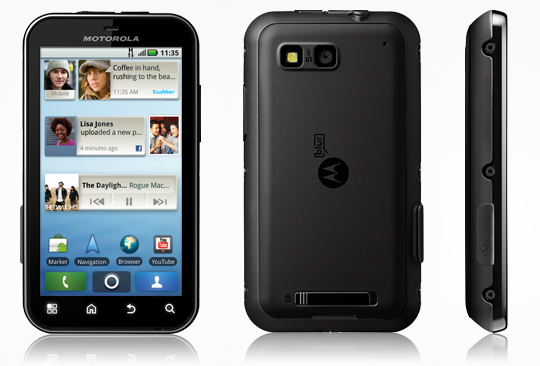 Motorola Defy is a popular Android phone, and I am one of its users.
Some limitations of Android 2.1, such as the lack of wireless tethering, together with my own requirements, led me to root this Motorola Defy.
After looking into it, I found that rooting a Motorola Defy is about as easy as jailbreaking iOS 4.2.1 for iPhone4 / iPhone 3GS, iPod Touch 4G, iPod Touch 3G, and iPad.
There is not much to it. Follow these steps:
Motorola Defy is a popular Android phone, and I am one of its users.
Some limitations of Android 2.1, such as the lack of wireless tethering, together with my own requirements, led me to root this Motorola Defy.
After looking into it, I found that rooting a Motorola Defy is about as easy as jailbreaking iOS 4.2.1 for iPhone4 / iPhone 3GS, iPod Touch 4G, iPod Touch 3G, and iPad.
There is not much to it. Follow these steps:
- Start by downloading SuperOneClickFor2.1.
- On the phone, go to Settings > Applications > select Unknown sources.
- On the phone, go to Settings > Applications > Development > select USB Debugging.
- Connect the computer and Defy with a USB cable.
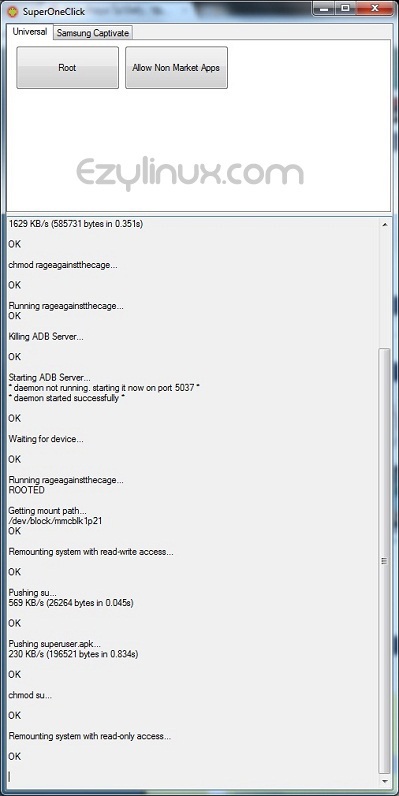
- Open SuperOneClickFor2.1 (SuperOneClick.exe). Its window looks like the image below.

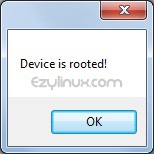
- Click Root and wait while the program roots the Motorola Defy. When finished, a popup displays Device is rooted!, as shown.
- Close SuperOneClick and disconnect the USB cable.
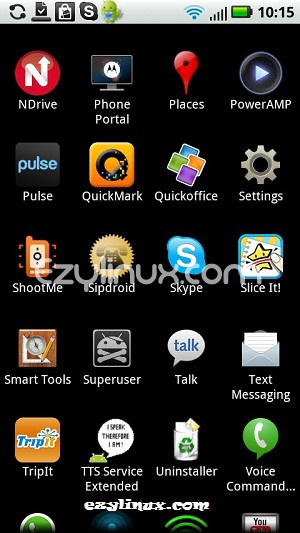
- Restart the phone. If an app named superuser appears in the menu, the Motorola Defy has been rooted successfully.
How to install CyanogenMod 7 Gingerbread (Android 2.3.5) on Motorola Defy

Archived comments (2)
Preserved from the original blog for reference.
I was just planning to buy a Defy. Thank you!
Thank you very much for the rooting instructions. I had been looking for them for a long time. I followed them, but rooting was taking too long, so I tried closing the program and removing the memory card. I opened the program and tried rooting again. It finished in under 10 seconds. What a relief—I thought I had broken it.