How to jailbreak iPhone, iPod touch and iPad with JailbreakMe
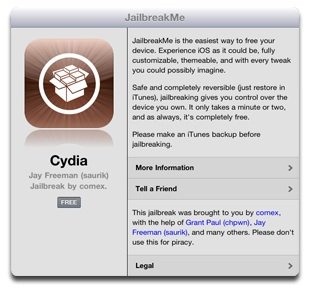 Jailbreaking an iPhone, iPod touch, or iPad is now easy, without needing to know how to enter DFU mode. Thanks to the creators of JailbreakMe.com, which makes it possible to jailbreak directly through a website. The procedure is similar to installing a new application.
JailbreakMe supports the following devices (information from Mobile Geeky):
Jailbreaking an iPhone, iPod touch, or iPad is now easy, without needing to know how to enter DFU mode. Thanks to the creators of JailbreakMe.com, which makes it possible to jailbreak directly through a website. The procedure is similar to installing a new application.
JailbreakMe supports the following devices (information from Mobile Geeky):
- iPad1: 4.3 through 4.3.3
- iPad2: 4.3.3
- iPhone3GS: 4.3 through 4.3.3
- iPhone4: 4.3 through 4.3.3
- iPhone4-CDMA: 4.2.6 through 4.2.8
- iPod touch 3g: 4.3, 4.3.2, 4.3.3
- iPod touch 4g: 4.3 through 4.3.3
Here are the steps for jailbreaking an iPhone, iPod touch, or iPad. First open Safari and type www.jailbreakme.com to visit the JailbreakMe website, as shown.
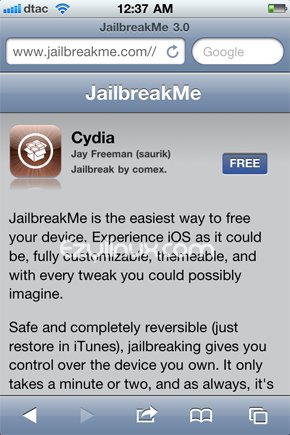 Tap the Free button (in the image above), then tap install as shown.
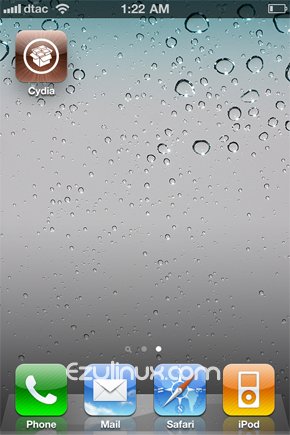
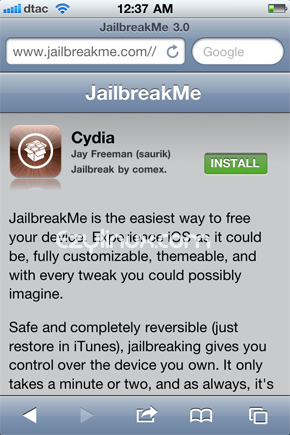 Wait for Cydia to finish installing. Your device is now jailbroken. If you are still unsure about the steps, watch the jailbreak video below.

Archived comments (1)
Preserved from the original blog for reference.
Can I upgrade 2 4.0 on a 3g with a spirit jailbreak?