How to add a new hard disk to linux system.
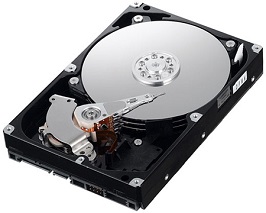
Adding a hard disk to Linux is not as difficult as some people think. It is fairly simple and straightforward (though slightly harder than in Microsoft Windows). You need to understand partitioning, filesystem creation, and mounting. The commands used to add the new disk are:
- fdisk manages hard drive partitions.
- mkfs.ext3 creates an ext3 filesystem.
- e2lable assigns a label to a partition.
- mount makes a newly created partition available for use.
Now that we have covered the basic commands, let us look at the procedure.
-
After adding the hard disk, run fdisk -l to check that it is present. In the example below, the newly added disk is hdb, identified here by its lack of a partition table (one simple method among several).
[root@ezylinux ~]# fdisk -l Disk /dev/hda: 64 heads, 63 sectors, 621 cylinders Units = cylinders of 4032 * 512 bytes Device Boot Start End Blocks Id System /dev/hda1 * 1 184 370912+ 83 Linux /dev/hda2 185 368 370944 83 Linux /dev/hda3 369 552 370944 83 Linux /dev/hda4 553 621 139104 82 Linux swap Disk /dev/hdb: 64 heads, 63 sectors, 621 cylinders Units = cylinders of 4032 * 512 bytes Device Boot Start End Blocks Id System -
Run:
[root@ezylinux ~]# fdisk /dev/hdbIn the disk management screen, press n to create a partition, then p, and enter 1. The program asks for the starting cylinder; normally, press Enter. It then asks for the ending cylinder. There is no need to count cylinders: the program also accepts familiar units such as MB. This example uses +128MB (always include the +). Press p to check that the partition has been created. The output looks like this:
   Device Boot    Start       End    Blocks   Id  System
/dev/hdb1             1       196    395104   83  Linux
Press w to save. Back at the terminal, run:
[root@ezylinux ~]# fdisk -l /dev/hdb
Disk /dev/hdb: 64 heads, 63 sectors, 621 cylinders
Units = cylinders of 4032 * 512 bytes

Device Boot    Start       End    Blocks   Id  System
/dev/hdb1   *         1       196    395104+  83  Linux
The example now shows the newly created /dev/hdb1 partition. :)
-
Run:
[root@ezylinux ~]# mkfs.ext3 /dev/hdb1to create an ext3 filesystem.
-
This step is optional and not particularly important. Create a label for the partition with this command.
[root@ezylinux ~]# e2label /dev/hdb1 /test1 -
Create a directory with this command.
[root@ezylinux ~]# mkdir /test1 -
Mount the hdb1 partition we created with this command.
[root@ezylinux ~]# mount -t ext3 /dev/hdb1 /test1To mount it automatically after every restart, use:
[root@ezylinux ~]# echo "LABEL=/test1 /test1 ext3 defaults 1 2" >>/etc/fstab -
Try running:
[root@ezylinux ~]# df -hto check that the partition is mounted.
It is not as difficult as you might have thought, is it? :)
Archived comments (1)
Preserved from the original blog for reference.
Fantastic! Thank you very much.