Setup a transparent proxy over ssl https with Squid
 Most websites explaining how to set up Squid as a transparent proxy cover only HTTP (port 80). Squid can also work transparently with HTTPS (port 443). However, if we configure iptables to forward HTTPS traffic to port 3128 (assuming that port is configured for transparent proxying), testing shows that it does not work.
Why does Squid not work as a transparent proxy for HTTPS this way? HTTPS connections encrypt data before transmission using certificates and public/private keys. Squid, acting as the intermediary or man in the middle, cannot decrypt and re-encrypt it to inspect the headers. To address this, Squid needs its own signed certificate and public/private key pair so it can communicate with clients requesting HTTPS.
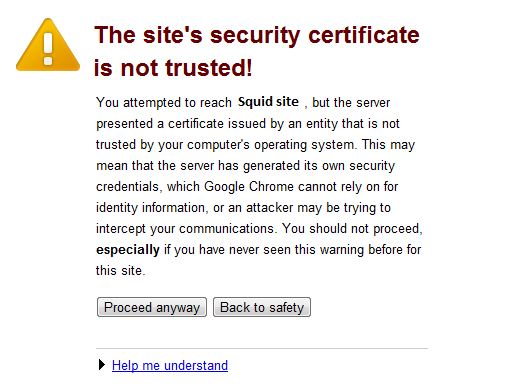
Certificates can be signed by a Certificate Authority (CA) or self-signed. The drawback of self-signed certificates is that browsers warn users the certificate is untrusted when they visit websites, as shown below.
Most websites explaining how to set up Squid as a transparent proxy cover only HTTP (port 80). Squid can also work transparently with HTTPS (port 443). However, if we configure iptables to forward HTTPS traffic to port 3128 (assuming that port is configured for transparent proxying), testing shows that it does not work.
Why does Squid not work as a transparent proxy for HTTPS this way? HTTPS connections encrypt data before transmission using certificates and public/private keys. Squid, acting as the intermediary or man in the middle, cannot decrypt and re-encrypt it to inspect the headers. To address this, Squid needs its own signed certificate and public/private key pair so it can communicate with clients requesting HTTPS.
Certificates can be signed by a Certificate Authority (CA) or self-signed. The drawback of self-signed certificates is that browsers warn users the certificate is untrusted when they visit websites, as shown below.
 The broad steps for configuring an HTTPS transparent proxy are:
- Create a certificate and public/private key pair.
- Config iptables
- Configure Squid for transparent HTTPS proxying.
For the detailed HTTPS transparent proxy setup, follow the steps below.
-
Create a certificate and public/private key pair using the genkey utility
-
Install crypto-utils. Skip this step if it is already installed.
[root@ezylinux ~]# yum -y install crypto-utils -
Run genkey to create the certificate and public/private key pair.
[root@ezylinux ~]# genkey -days 365 squidserver.ezylinux.com- Select Next.
- Select 1024.
- When Generate CSR appears, select No. The program then asks for details, as in the example below: Country Name (ISO 2 letter code) TH State or Province Name (full name) Bangkok Locality Name (e.g. city) Bangkok Organization Name (eg, company) Ezylinux co ltd Organizational Unit Name (eg, section) Common Name (fully qualified domain name) squidserver.ezylinux.com
- Click Next.
- Select Next without selecting Encrypt the private key.
- When finished, the certificate and key are stored in: /etc/pki/tls/certs/ for the certificate /etc/pki/tls/private/ for the key
-
-
Config iptables
[root@ezylinux ~]# iptables -t nat -A PREROUTING -i eth0 -p tcp --dport 443 -j REDIRECT --to-port 3129 -
Config squid Edit /etc/squid/squid.conf and add:
https_port 3129 transparent cert=/”path to server.crt” key=/”path to server.key”For example:
https_port 3129 transparent cert=/etc/pki/tls/certs/squidserver.ezylinux.com.crt key=/etc/pki/tls/private/squidserver.ezylinux.com.key
Read how to set up a transparent proxy with Squid.
