Jailbreak iPod touch 2nd Gen 3.0 Firmware #7A341
A complete iOS 4.2.1 jailbreak is now available for iPhone 4 / iPhone 3GS, iPod Touch 4G, iPod Touch 3G, and iPad.
You can now jailbreak iPod touch 3.1.2 (iPod touch 2G). Click here: How to Jailbreak iPod touch 3.1.2 (iPod touch 2G)
Soon after deciding to buy an iPod touch, I spent the first week trying a few things without jailbreaking it, so I could still exchange it if there were hardware problems. After a week, I got started. Firmware 3.0 happened to leak before Apple put it on sale. That night, I installed firmware 3.0, build 7A341, and tried jailbreaking it. It did not work because the jailbreak program did not support it, so I returned to firmware 2.2.1, the version it came with. Today I learned that a jailbreak program supporting firmware 3.0 had been released. Everything was ready, so I wasted no time trying it. I fumbled around for a long time because I did not know which steps came first, but eventually it worked. Ha! This jailbreak works on iPod touch 1st gen, iPod touch 2nd gen, iPhone 2g, and iPhone 3g, using Windows. The supported models are taken from the program’s readme.
Redsn0w is a lightweight, multi-platform jailbreaking and unlocking tool for the iPhone 2G (original iPhone), the iPhone 3G (but not the 3GS) and also the iPod touch (1st generation and second generation).
Jailbreaking on Windows through the GUI is very straightforward.
- First update your iPod touch or iPhone to firmware 3.0.
- After updating, download redsn0w version 0.7.1 for Windows.
- Double-click to open the program, browse to the firmware 3.0 file, wait while it checks the firmware, then click next.
- Select install cydia.
- Turn the device off and connect it to the computer with a USB cable, as the program instructs.
- Follow the program’s instructions to enter DFU mode:
- Hold the power button for 3 seconds.
- While still holding Power, press and hold Home for about 10 seconds.
- Release Power but keep holding Home for no more than 30 seconds. You can release it once the program detects DFU mode.
- The program loads jailbreak data and installs Cydia. From this point, simply wait.
- When finished, the program displays a finish button.
- The iPod touch starts patching and installing Cydia.
- Wait for it to finish.
Additional note for anyone using Mipatch or mobileinstallation to sync IPA apps from iTunes: these do not work on firmware 3.0. Use AppSync 3.0 instead. Read more about installing iPod touch and iPhone apps
- Installing IPA files through iTunes with AppSync 3.0
- Installing IPA files through Safari or downloading from Installous without iTunes
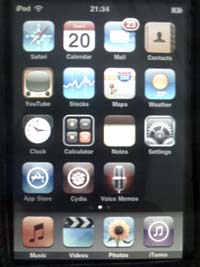
A photo just after installing firmware 3.0, build 7A341.
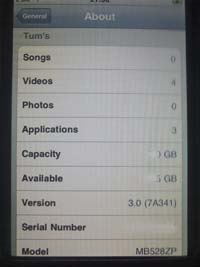
Showing About Me!
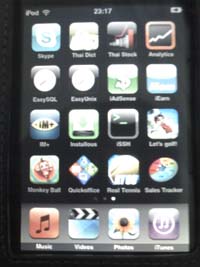
Apps after syncing with iTunes.
How to Jailbreak iPod touch or iPhone to 3.0 Firmware in Eng Version

Archived comments (4)
Preserved from the original blog for reference.
I have problem with Redsnow, it's not run...Help me please!
when it run to preparing jaibreak data, it's not work and take over
Help me please..!
Which iPod touch generation and firmware version are you using? If it is an iPod touch 3rd Gen, redsn0w cannot jailbreak it yet. Likewise, firmware newer than version 3.0 cannot be jailbroken yet. Please provide more details.